How to post to multiple social networks with one API call
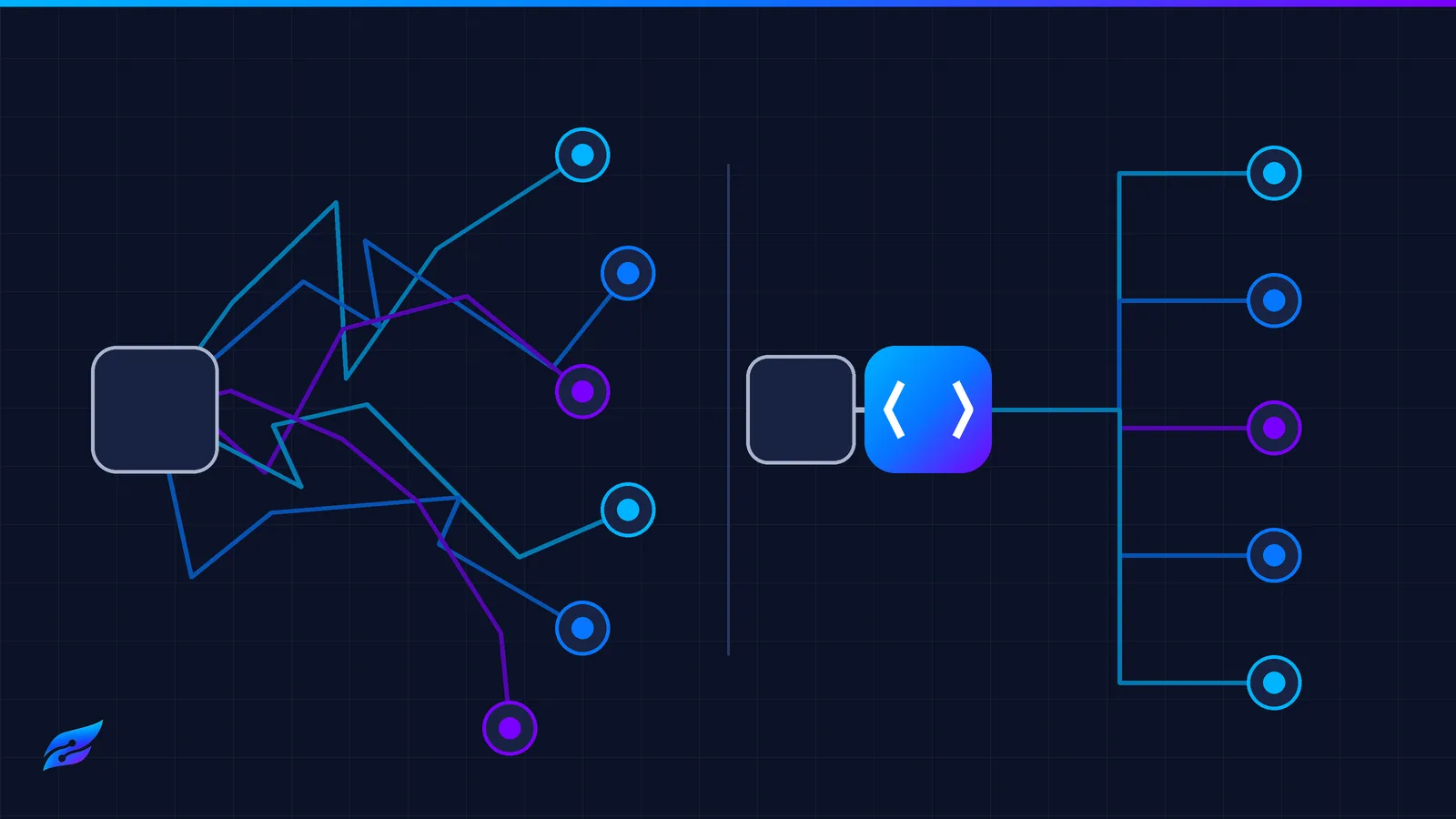
To post to multiple social networks with one API call, you send one request with the content and a list of target networks, and a fan-out layer turns it into a separate post on each network, adapting the text, media and options to each one’s rules. You can build that layer yourself on top of each native API, or use a unified social media API that already does it.
The hard part is not sending the request. It is that the same post can be valid on one network and rejected on another. This guide shows exactly where networks differ, using their official documentation, walks through one real example post across eight networks, and explains how to handle the partial failures that cross-posting always produces.
What “one API call” really does
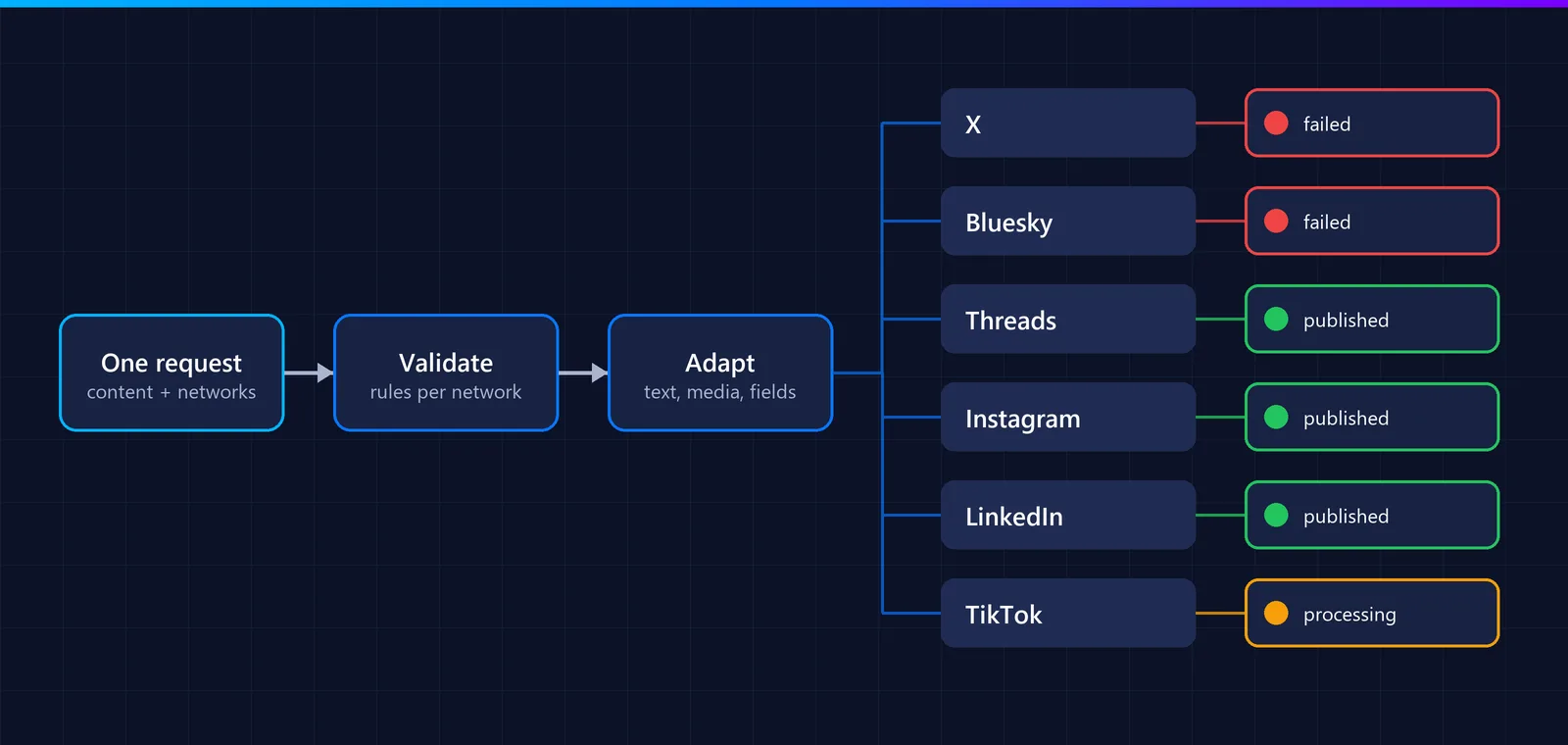
Behind a single request there are always several steps, whether you build them or a provider does:
- Validation per network. Check the text length, media type, number of files and required fields against each target network before sending anything.
- Adaptation. Shorten or rewrite text where needed, convert or select media, and add network-only fields such as a YouTube title or a TikTok privacy level.
- Fan-out. Send one publishing flow per network. Each has its own steps: some networks need two or three calls for a single post (see our comparison of social media API limits).
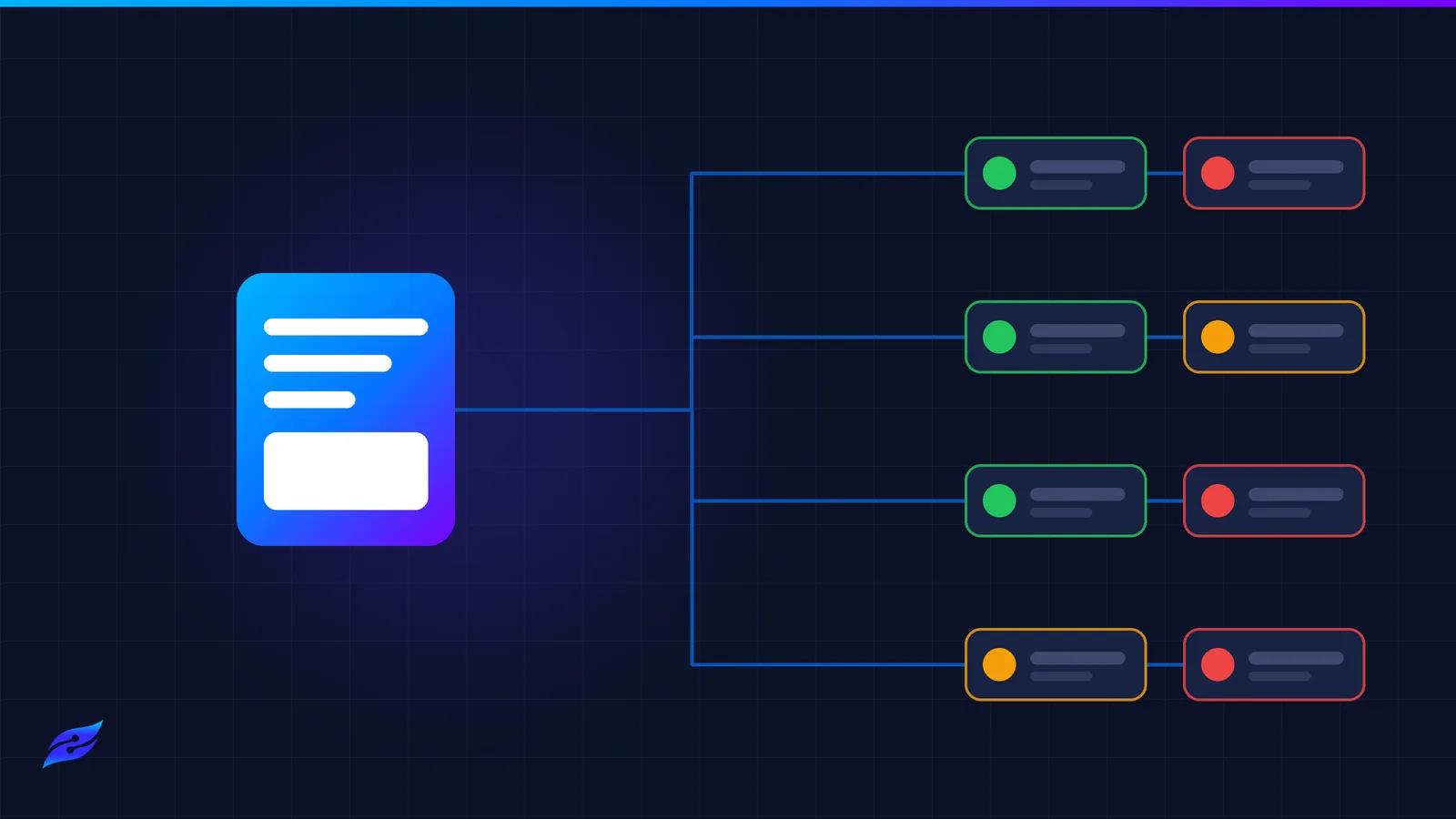
- Results. Collect the outcome of each network separately, because one can succeed while another fails or is still processing a video.
- Retries without duplicates. Retry only what failed, and make sure a retry never publishes the same post twice.
Where the same post breaks: rules per network
These are the documented limits that most often decide whether a cross-post goes through. Values are from each network’s official documentation, checked in November 2026:
| Network | Text limit | Media rules | Required or special fields |
|---|---|---|---|
| X | 280 characters, weighted: a URL counts as 23 and an emoji as 2 (counting rules) | Up to 4 photos, 1 GIF or 1 video per post (docs) | — |
| Bluesky | 300 graphemes | Up to 4 images (docs) | Alt text per image is supported |
| Threads | 500 characters (docs) | JPEG or PNG, 8 MB max; carousels of 2 to 20 items | — |
| Caption up to 2,200 characters, 30 hashtags and 20 @ tags (docs) | Needs media: no text-only posts. Images must be JPEG; carousels up to 20 items (docs) | Professional account | |
| TikTok (photo post) | Title up to 90 UTF-16 runes, description up to 4,000 (docs) | Up to 35 photos, pulled from URLs | privacy_level, chosen from the creator’s options |
| TikTok (video post) | Title up to 2,200 UTF-16 runes (docs) | One video | privacy_level |
| YouTube | Title up to 100 characters; description up to 5,000 bytes (docs) | Video only | A title |
| No maximum stated on the Posts API page; it returns an error if text is too long (docs) | Images are uploaded first, then referenced in the post | Author: person or organization | |
| Facebook Page | No maximum stated on the Pages API page (docs) | Photos by URL | Page access token |
Notice that networks do not even count the same way: X weights characters, Bluesky counts graphemes, TikTok counts UTF-16 runes and YouTube limits the description in bytes. A single character limit for all networks will always be wrong somewhere.
One post, eight results: a worked example
Take a typical launch post: exactly 400 characters with one link, and 5 JPEG images of 1080×1080 px and 450 KB each. This is the text:
“Today we launch version 2 of our scheduling app. You can now plan a full month of posts in one view, reuse your best captions as templates, invite your team with roles and approvals, and see which posts brought clicks instead of just likes. Everything you made in version 1 moves over automatically, and the price stays the same for all current users. See the launch notes: https://example.com/launch”
Running it through the validator from the resources below gives this result. It checks the documented content limits only: passing them does not mean the post is published, because each network still needs a connected account, the right permissions and its own publishing flow.
| Network | Content check | Why | What to change |
|---|---|---|---|
| X | Over the limits | 397 weighted characters (max 280); 5 images (max 4) | Shorten the text and keep 4 images |
| Bluesky | Over the limits | 400 graphemes (max 300); 5 images (max 4) | Shorten the text and keep 4 images |
| Threads | Passes | Under 500 characters; 5 JPEG images fit in a carousel of up to 20 | Publish as a carousel |
| Passes | Caption under 2,200 characters; JPEG images; carousel of up to 20 | Publish as a carousel; links in captions are not clickable | |
| TikTok (photo) | Needs adaptation | As a description it passes (4,000 units); as a title it is far over 90 | Use a short title, the text as description, and a privacy level |
| Passes | No documented limit is exceeded | Upload the images, then create the post | |
| Facebook Page | Passes | No documented limit is exceeded | Publish with a Page access token |
| YouTube | Unsupported content type | YouTube publishes videos, not image posts | Skip it, or publish a video instead |
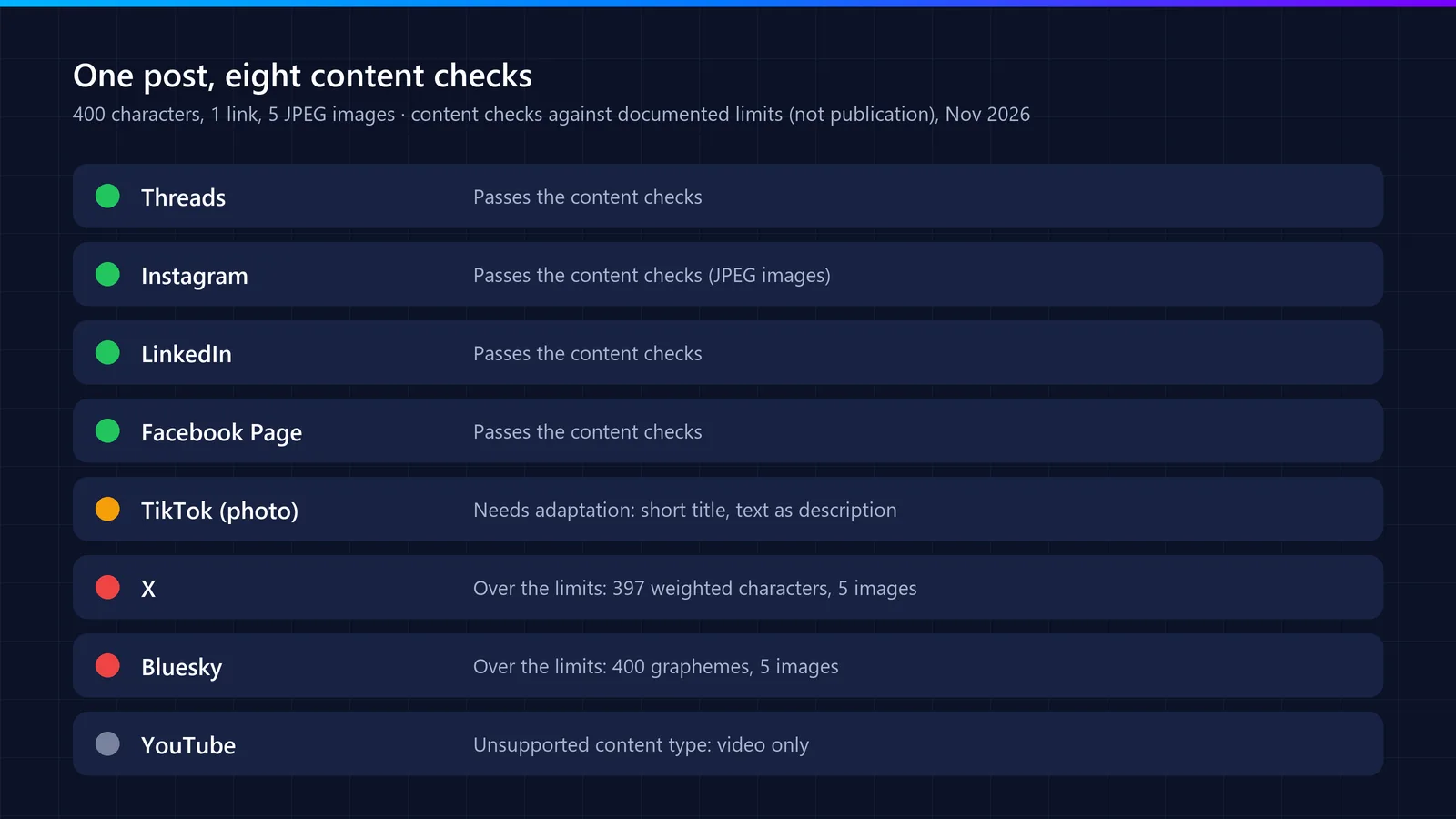
The same post passes the content checks on four networks, needs adaptation on TikTok, breaks the limits on X and Bluesky, and is the wrong content type for YouTube. Had the images been PNG, Instagram would have rejected them too. Cross-posting is not “send the same thing everywhere”: it is one content idea delivered in several valid formats.
How to handle partial failures
When one request targets several networks, partial failure is the normal case, not an exception. Design for it:
- Validate before you send. Reject or adapt content per network up front, so you can tell the user “too long for X” instead of failing after publishing elsewhere.
- Return one result per network. A single “success” or “error” for the whole request hides what actually happened.
- Never roll back successful posts. If LinkedIn published and X failed, the LinkedIn post stays. Retry or fix only the failed network.
- Use an idempotency key, enforced by the server. Send a unique key with each request so that a retry after a timeout does not publish the same post twice. The IETF is standardising an Idempotency-Key header for this purpose (IETF draft). The key only helps if the publishing service stores and enforces it, and if a network accepted a post but the response was lost, the service must check that network’s result before retrying.
- Expect asynchronous results. Videos keep processing after the request returns, so the final status arrives later, by webhook or by checking the status.
Build it yourself or use a unified API
Building cross-posting on native APIs means one integration, one review and one token store per network, plus the validation and fan-out layer described above. A unified social media API gives you that layer ready-made, with one request format. We compare both options, including costs and lock-in, in unified social media API vs native APIs.
With APIWings, for example, a cross-post is one request to POST /v1/posts with the content, a platforms list with options per network, and a required idempotency_key; the result of each network arrives by signed webhook (API summary). APIWings is a unified social media API: Bluesky is live today, and Instagram, Facebook, LinkedIn, TikTok, YouTube and Threads open as each network approves our integration. The request below is what works today, with Bluesky; as each network opens, you add one more entry to platforms.
{
  "profile_id": "...",
  "content": "We just shipped v2",
  "platforms": [
    { "platform": "bluesky", "account_id": "..." }
  ],
  "idempotency_key": "launch-v2-001"
}
Free resources: cheat sheet, limits as JSON and a validator
To save you from rebuilding this table, we published everything in this guide in reusable formats. They are free to use; the data is CC BY 4.0 and the code is MIT.
- Example post (JSON): the exact 400-character text and five images used in the worked example, to reproduce it.
- Cross-posting cheat sheet (PDF): one printable page with the text and media limits of nine publishing targets and the four rules for partial failures.
- Social network post limits (JSON): the same limits in a machine-readable file, with the unit each network counts in and a source link for every value. Load it in your own validation code or give it to an AI agent.
- Cross-post validator for JavaScript and for Python: a small function that checks one post against every network and returns what each one would reject. The X counter follows the weights in X’s own counting configuration, the Bluesky counter uses grapheme clusters, and TikTok is counted in UTF-16 units, exactly as their documentation describes.
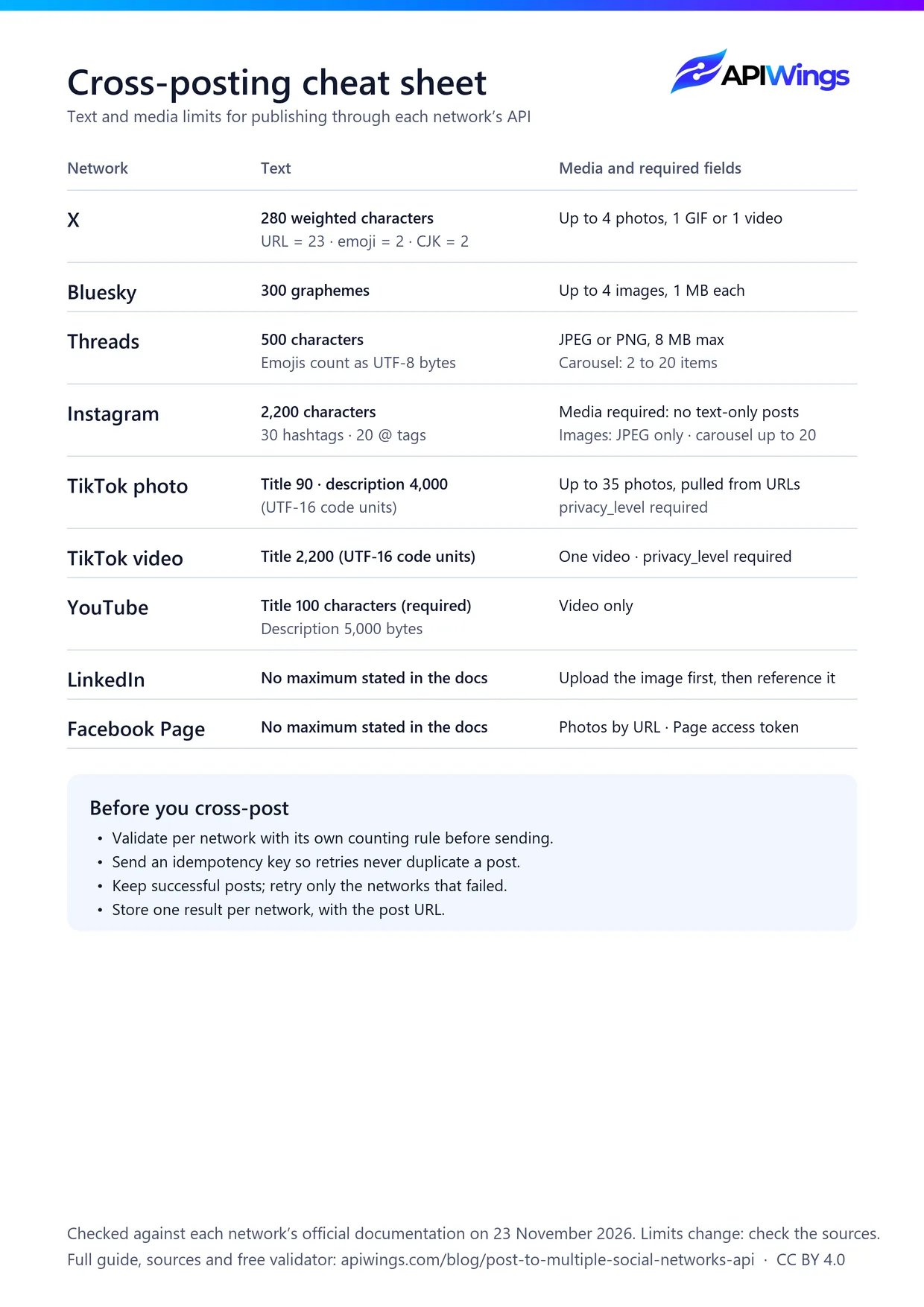
Using the validator takes one call. The worked example above is included as example-post.json, so you can reproduce the result exactly. In JavaScript (Node 22 or later):
import { readFileSync } from "node:fs";
import { validate } from "./cross-post-validator.mjs";
const post = JSON.parse(readFileSync("./example-post.json", "utf8"));
console.log(validate(post, ["x", "bluesky", "threads", "instagram"]));
// { x: [ 'text is 397 weighted characters, max 280', '5 images, max 4' ],
//   bluesky: [ 'text is 400 graphemes, max 300', '5 images, max 4' ],
//   threads: [], instagram: [] }
And in Python:
import json
from cross_post_validator import validate   # pip install regex
post = json.load(open("example-post.json", encoding="utf-8"))
for network, issues in validate(post).items():
    print(network, issues or "passes the content checks")
Both versions ship with the counting rules described in this guide and were tested against the examples in X’s counting documentation (a URL counts as 23, an emoji with a skin tone or a joiner counts as 2, and an accented word counts the same in NFC and NFD). The Python version needs the regex package for grapheme clusters.
Checklist for cross-posting through an API
- Validate text length with each network’s own counting rule.
- Check the number, format and size of images and videos per network.
- Add the fields some networks require: TikTok privacy level, YouTube title, Instagram media.
- Send an idempotency key with every request.
- Store one result per network, with the post URL when it succeeds.
- Retry only the networks that failed, and tell the user which ones and why.
- Respect each network’s posting limits per account or per app.
FAQ
Can I post to Instagram, LinkedIn and X at the same time with one API call?
Yes, with a fan-out layer: a unified social media API or your own code that turns one request into one post per network. Each network still applies its own rules, so the post may need different text or media on each.
Why does the same post work on LinkedIn but fail on X?
Because each network has different limits. X allows 280 weighted characters and up to 4 photos, while LinkedIn’s Posts API states no fixed maximum, so text that fits LinkedIn can be too long for X.
What is an idempotency key?
A unique value you send with a request so the server can recognise retries. If the server stores and enforces it, the same key arriving twice creates the post only once, which prevents duplicates after timeouts.
Do I need different text for each network?
Often, yes. Limits range from 280 weighted characters on X and 300 graphemes on Bluesky to 2,200 characters on Instagram captions, so long posts need a shorter version for some networks.
Is there a free tool to check a post against every network’s limits?
Yes. This guide includes a free cross-post validator for JavaScript and Python and a JSON file with every limit and its source, so you can check a post before sending it to any API.
What happens if one network fails?
The others are not affected. A well-designed cross-posting flow reports one result per network, keeps the successful posts and lets you retry only the one that failed.
Related articles
- Unified social media API vs native APIs: build or buy?
Build each social network integration yourself or use a unified social media API? Calls per post, token expiry, API versions, real costs and lock-in.
- Social media API limits and requirements compared
Posting limits, app reviews and content rules for the Instagram, Threads, LinkedIn, TikTok, YouTube, Bluesky and X APIs, checked against official docs.